
Tools
A tool is one call to your API that an assistant can make. Edit its fields, let Claude describe it, test it and enable it.
On this page
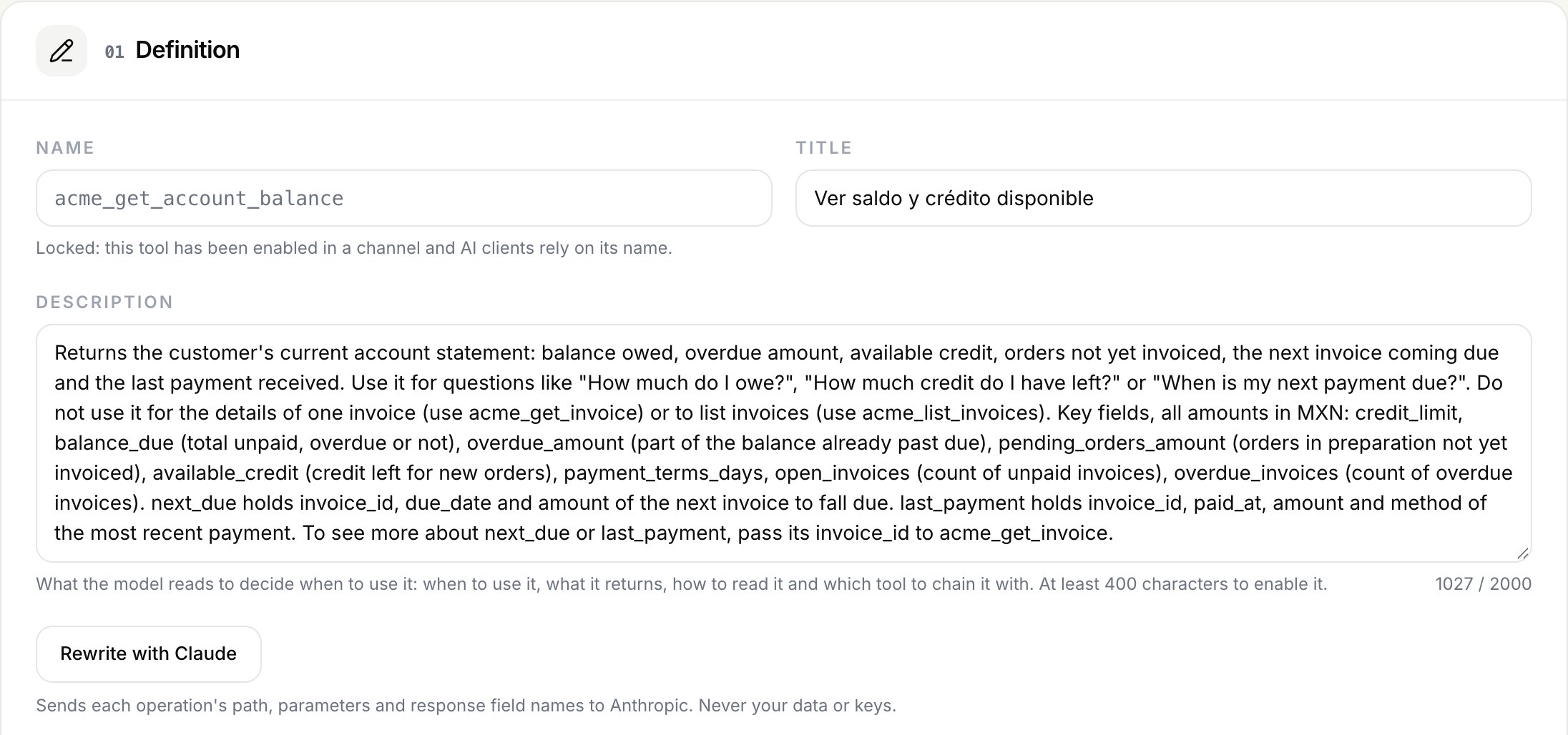
Each tool has a name, a description the model reads to decide when to use it, a path with its parameters and the part of the response the model gets. Open a tool from the Tools step to edit it.
Fields
| Field | Rules |
|---|---|
| Name | Lowercase letters, digits and _, up to 64 characters. Unique in the integration. Locked once the tool is enabled in a channel. |
| Title | 1 to 120 characters. Shown to users on the consent page. |
| Description | Up to 2,000 characters. At least 400 to enable the tool. |
| Path | Relative to the base URL, starting with /, up to 512 characters, without query string. Placeholders as {order_id}. |
| Parameters | Up to 50, in the path or in the query. |
| Response fields | Up to 100 dot paths, one per line. Empty returns the whole response. |
| Max characters | From 1,000 to 60,000. Default 60,000. |
Note
The name is locked as soon as the tool is enabled in any channel, even if you disable it later. AI clients rely on it.
Parameters
Each parameter has a name, where it goes (path or query), a type (string, number, integer, boolean or array), whether it is required, allowed values and a description of up to 1,000 characters. Path parameters are always required. An array in the query can be sent as ids=a&ids=b or, with the comma separated option, as ids=a,b.
Response fields
List the fields the model needs, one dot path per line. This keeps answers short and avoids sending data the assistant does not need.
statusestimated_deliveryevents[].descriptionevents[].locationdata[].id goes through the data array. [].id is for a response that is an array. Longer responses are cut at Max characters with a notice that asks the model to filter or paginate.
What blocks enabling a tool
The tool page lists what is missing. A tool cannot be enabled if:
- Its description has fewer than 400 characters.
- A parameter has no description, or two parameters share a name.
- A parameter name looks like a credential, for example
password,token,apikeyorauthorization. - A placeholder in the path has no parameter, or a path parameter is not used or not required.
- It has no successful test of its current version.
Write descriptions with Claude
A good description says when to use the tool, what it returns, how to read it and which tool to use instead. Claude writes a first draft for you.
- Write descriptions with Claude on the Tools step processes the tools whose description came from the import or is shorter than 400 characters, in batches of 5. Descriptions you edited by hand are skipped.
- Rewrite with Claude in a tool's editor rewrites that one, even if you edited it.
| Sent to Anthropic | Never sent |
|---|---|
| Name, title, path and parameters of each tool, the summary and tags from your document, and the names and types of the response fields | Your API's data, any credential, your base URL or your company name |
The limit is 300 descriptions per integration per day. Review each one: the tool list marks them as "Written by Claude, review it".
Test a tool
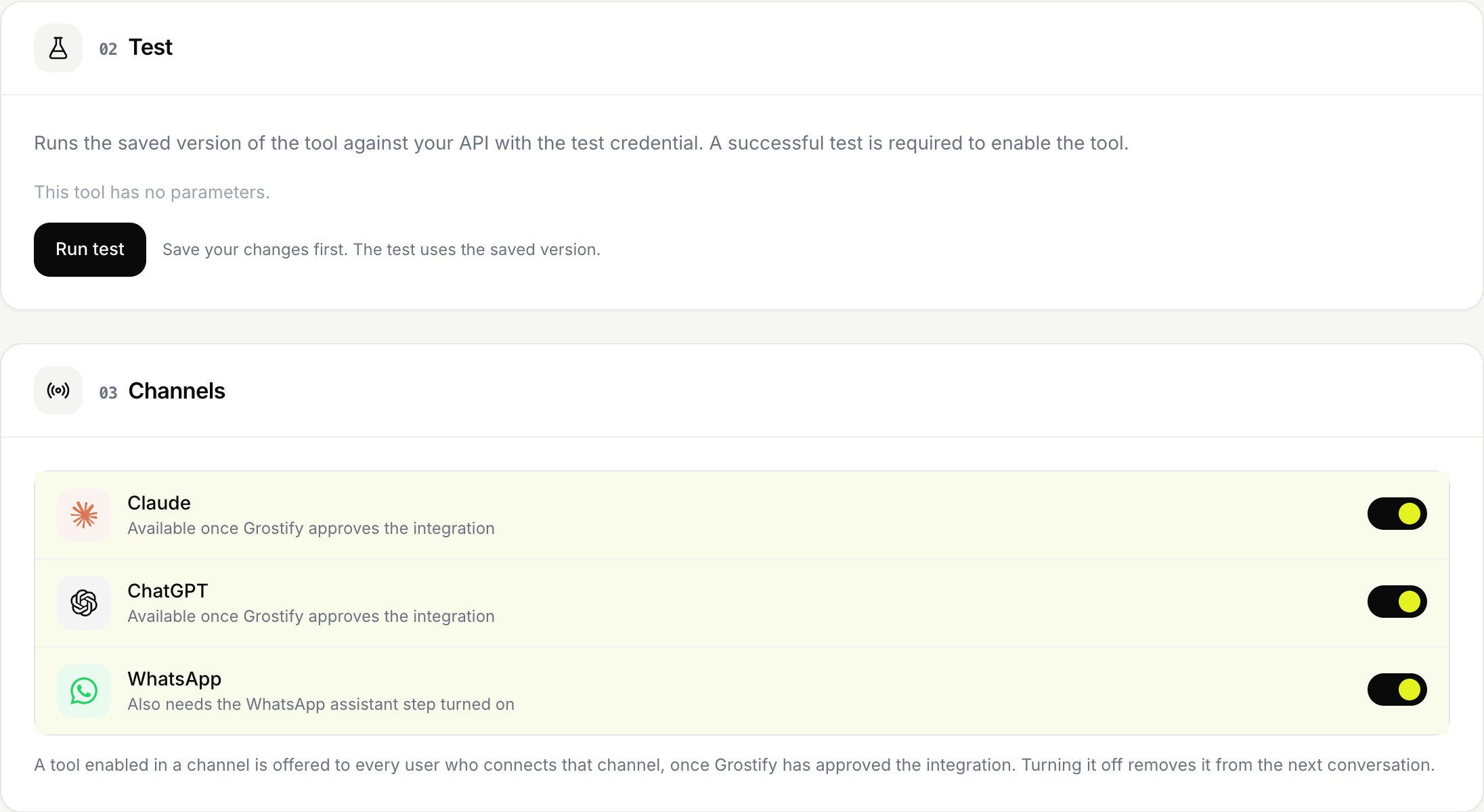
- Save a test credential on the Authentication step.
- Save your changes. The test uses the saved version.
- Fill in the parameters and click Run test.
Connect calls your API and shows the response only in your browser. It stores the time, the HTTP status and the result, never the response. A successful test is required to enable the tool.
The test is cleared when you change the path or the parameters, the authentication mode or where the key goes, or when an import changes the tool. Editing the title, the description, the response fields or the limit keeps it.
Create a tool by hand
On the Tools step, under New tool, give a name, a title and a path. Each {placeholder} in the path becomes a required parameter. Then write the description, test it and enable it. Imports never change tools you create by hand.
How a call runs
| Limit | Value |
|---|---|
| Timeout | 10 seconds |
| Response size | 2 MB |
| Redirects | Not followed |
| String arguments | Up to 2,048 characters |
| Arrays | Up to 100 items |
Each call sends accept: application/json and user-agent: GrostifyConnect/1.0, plus the user's credential. If your API echoes the credential in the response, Connect replaces it with [redacted]. Credentials shorter than 8 characters are not replaced, so make sure your API does not echo them.