
Import your API
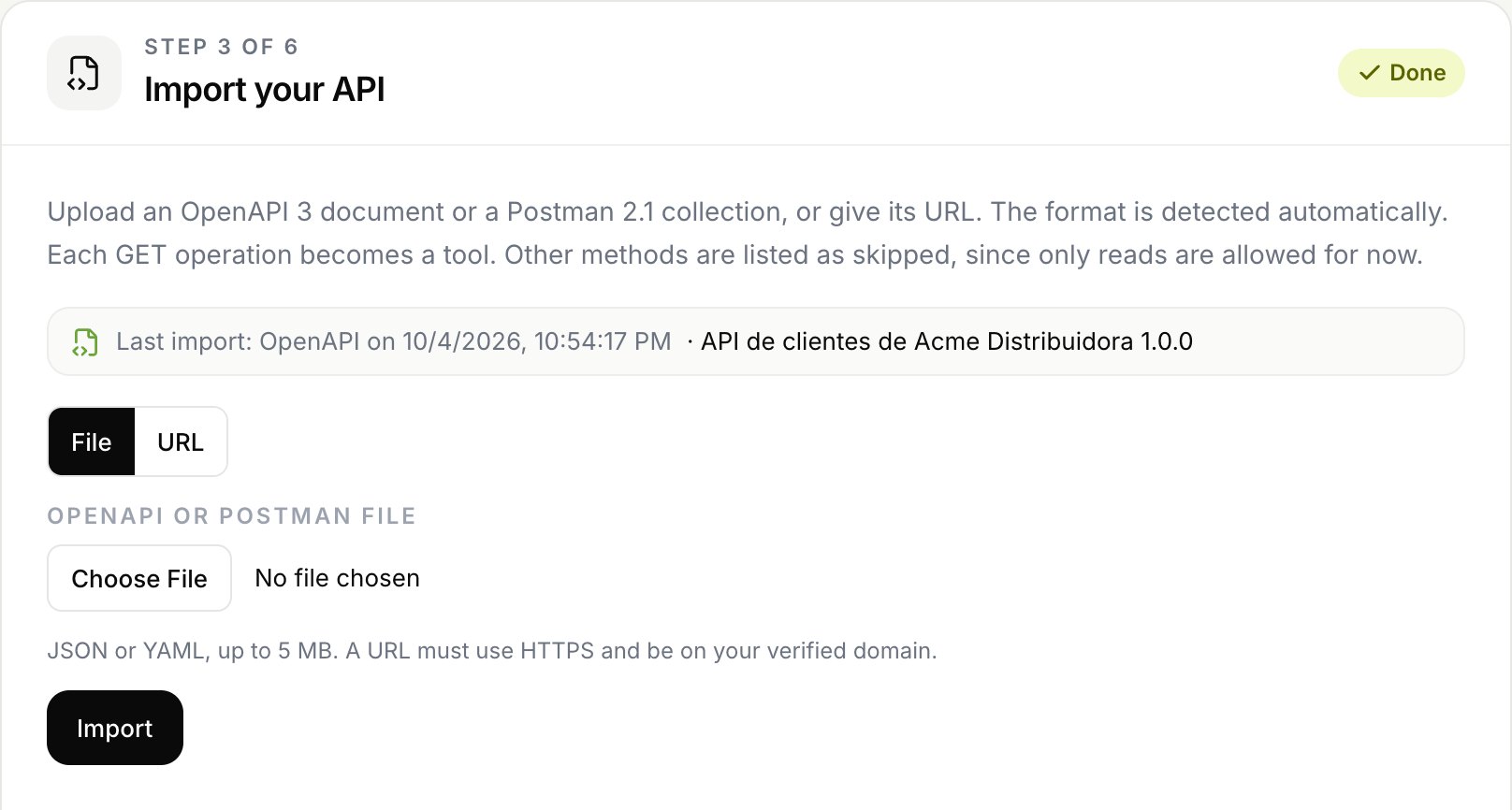
Upload your OpenAPI document or Postman collection, or give its URL. Connect reads every operation and turns the ones it can use into tools.
On this page
Supported formats
| Format | Versions | Files |
|---|---|---|
| OpenAPI | 3.0 and 3.1 | JSON or YAML |
| Postman collection | 2.1 (2.0 is also accepted) | JSON |
Swagger 2.0 and Postman 1.x are not supported. Convert them first. The format is detected automatically.
File or URL
- File:
.json,.yamlor.yml, up to 5 MB. - URL: HTTPS, and on the same registrable domain as your verified API (for example
docs.acme.comforapi.acme.com). It needs the domain verified first. Connect downloads it once, without following redirects, within 15 seconds.
Connect does not keep your document. It keeps a fingerprint, its title and version, the counts and the date.
What becomes a tool
Note
For now, each tool is one GET request to your API. Other methods (POST, PUT, PATCH and DELETE) are listed as skipped.
Some GET operations are skipped too, with the reason shown in the result:
| Reason | When |
|---|---|
| Sign in endpoint | A path segment or operation name like login, logout, signin, authenticate or oauth, or a parameter that looks like a password or a token in the path. |
| External reference | The operation or a required parameter uses a $ref to another file. Only references inside the document (#/...) are followed. |
| Not valid | A reference that cannot be resolved, or an operation Connect cannot read. |
Some parameters are dropped, with a warning:
- Header and cookie parameters. Tools only have path and query parameters.
- Parameters that look like credentials, for example
api_keyortoken. - Path parameters not used in the path.
Deprecated operations are imported with a warning.
Postman specifics
:idand{{variable}}segments in the path become required parameters.- Query parameters become optional, with the type inferred from the example. The example value is never kept.
- Headers and Postman auth are not imported.
Tool names
Each tool gets a name like acme_list_orders: the slug as a prefix plus the operationId (or the folder and request name in Postman), in lowercase with underscores, up to 64 characters. Repeated names get _2, _3 and so on. You can change a name until the tool is enabled for the first time. See Tools.
Import again
You can import again whenever your API changes. Connect matches each operation with the tool it already created:
- OpenAPI: by
operationId, or by method and path if there is none. - Postman: by request id, or by folder path and name.
| The operation | What happens to the tool |
|---|---|
| Is new | A new tool is created, without channels and without a test. |
| Did not change | Nothing. It stays exactly as you left it. |
| Changed its path or parameters | It takes the new path and parameters, loses its test and is disabled in every channel. Its name, title, description, response fields and limit are kept. |
| Disappeared | The tool is archived and disabled, only if you import the same source again (same URL, same file name or same title) and the import brings at least one tool. |
If an import brings no tools at all, nothing is archived: disable those tools in their channels by hand. Archived tools come back if a later import brings them again. You have to enable them in each channel again. Tools you created by hand are never touched by an import.
Limits
| Limit | Value |
|---|---|
| Document size | 5 MB |
| Tools per import | 1,000 |
| Complexity | 50,000 nodes |
| Imports per integration | 20 per hour |
Only owners and admins can import. One import runs at a time per integration.