
Review and production
Grostify reviews each integration before it goes live. Once approved, it answers at its MCP address and your users can connect.
On this page
Integration status
| Status | What it means |
|---|---|
| Draft | You are setting it up. The MCP address does not answer yet. |
| In review | Grostify is reviewing it. |
| Live | It answers at its MCP address and users can connect. |
| Suspended | Grostify stopped it. Every connection was closed. Contact us to resolve it. |
Request a review
On the Production step, the button Request review is enabled when everything is ready:
- Domain verified.
- Authentication complete for the selected mode.
- In API key mode, the page where users get their key, on your verified domain.
- In OAuth mode, the client secret saved.
- At least one tool enabled in Claude or ChatGPT.
Requesting a review needs a recent sign in (within the last 10 minutes).
What Grostify reviews
Before an integration goes live, Grostify checks who owns the domain, where users sign in (your own login page or keys page) and the tools in each channel.
- Approved: the integration goes live.
- Not approved: it goes back to draft with a note. Fix what the note says and request a review again.
Changes once live
| You change | What happens |
|---|---|
| Tools, descriptions, channels or a new import | Takes effect right away. |
| Authentication or the OAuth client secret | The integration goes back to review and every connection is closed. Users connect again once it is approved. |
The MCP address
Once live, the integration answers at:
Text
https://connect.grostify.com/t/acme/mcpThe Production step shows it with a copy button, plus how your users add it. Share it with your users along with the guides for Claude and ChatGPT.
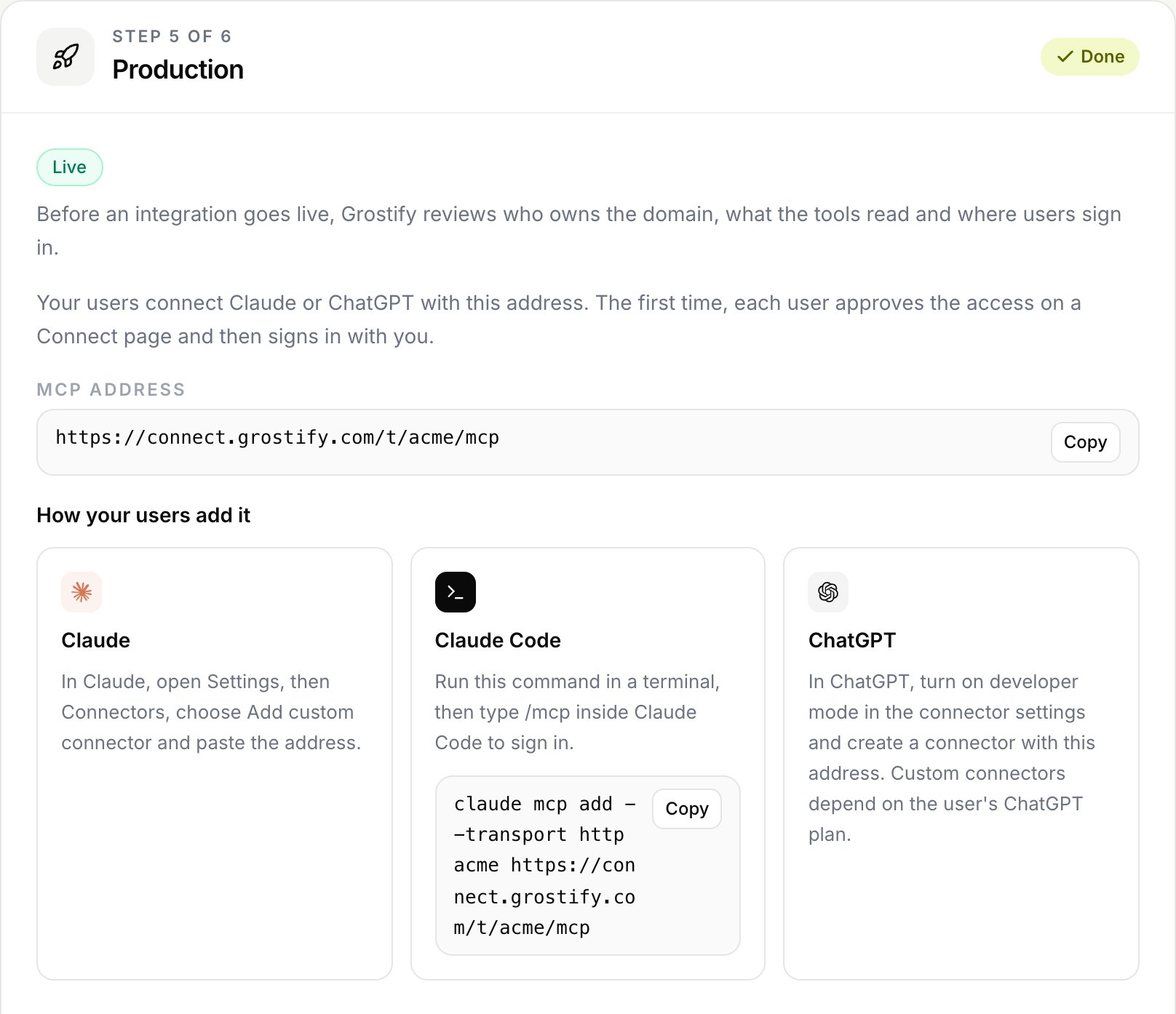
The first time, each user approves the access on a Connect page that shows your verified domain, and then signs in with you.