Claude Code built an MCP server and fell short: what it means for your API
CData asked Claude Code to build an enterprise MCP server and it passed only 1 of 8 reliability tests. What they found, how to read it and what it means for bringing your API to Claude.
5 min read

In this article
In July, CData published a report with a headline nobody working with agents can ignore: they asked Claude Code to build an enterprise MCP server and it fell short. Out of eight reliability tests, it passed only one without human help.1
We read all of it, executive summary included. Here is what they found, what to read with care, and what it means if you want Claude or ChatGPT to work with your API.
What CData tested
The target was an MCP connector for SharePoint, one of the platforms where companies keep the most business data: procurement, contracts, employee onboarding. This is how they tested it:
- Nine sessions in two phases. First Claude Code with a minimal prompt, the way almost anyone would start. Then a developer experienced in connectors, with a structured workflow, a CLAUDE.md and a plan before implementing.
- Real data. A production SharePoint, with lists from 3 to over 40,000 items. No synthetic data.
- Eight dimensions. Each one tied to a failure that shows up in production and not in a demo.
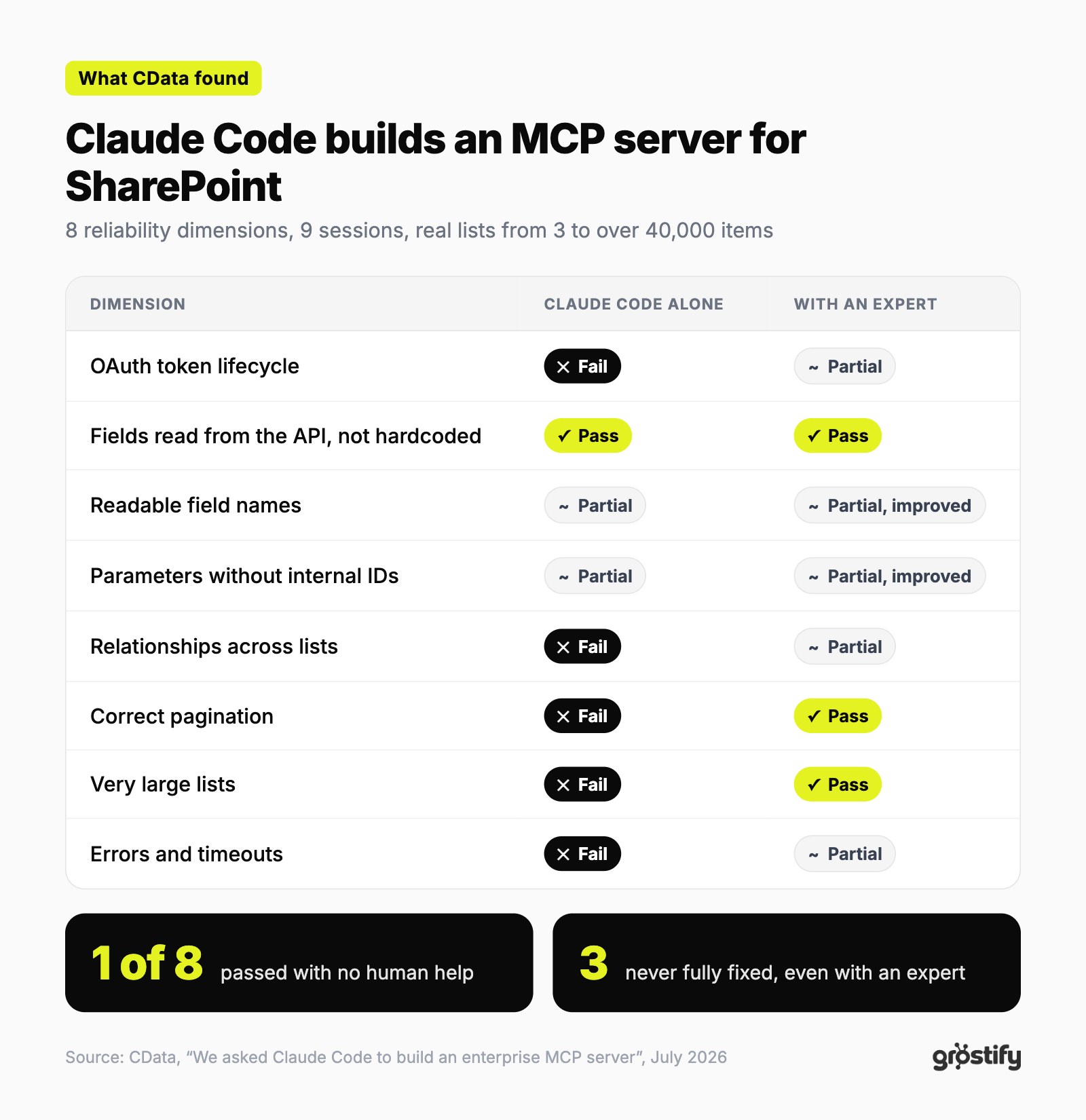
With the expert's guidance, pagination and large lists got fixed. But three dimensions were never fully resolved, and the fix for the worst failure broke authentication, which had been working until then.
The failures that hurt most are the silent ones
An error that shows up gets fixed. The dangerous part is an answer that looks complete and is not. The report documents several cases:
- A list with 13 lookup columns lost one in the response, with no warning and no error.
- With a 6,500 row list, the agent reported 500 results and stopped. All eight pages had arrived fine, but it counted wrong.
- Filter and sort parameters looked like they worked and were ignored: every call returned the whole list.
- A routine 15 item query hung for five minutes and returned nothing.
"Expert guidance closed some gaps. It didn't close the ones that matter most." That is how CData sums it up.
Four patterns behind almost everything
The executive summary groups the failures into four patterns. None of them is about badly written code: the architecture was clean and the code was generally good.
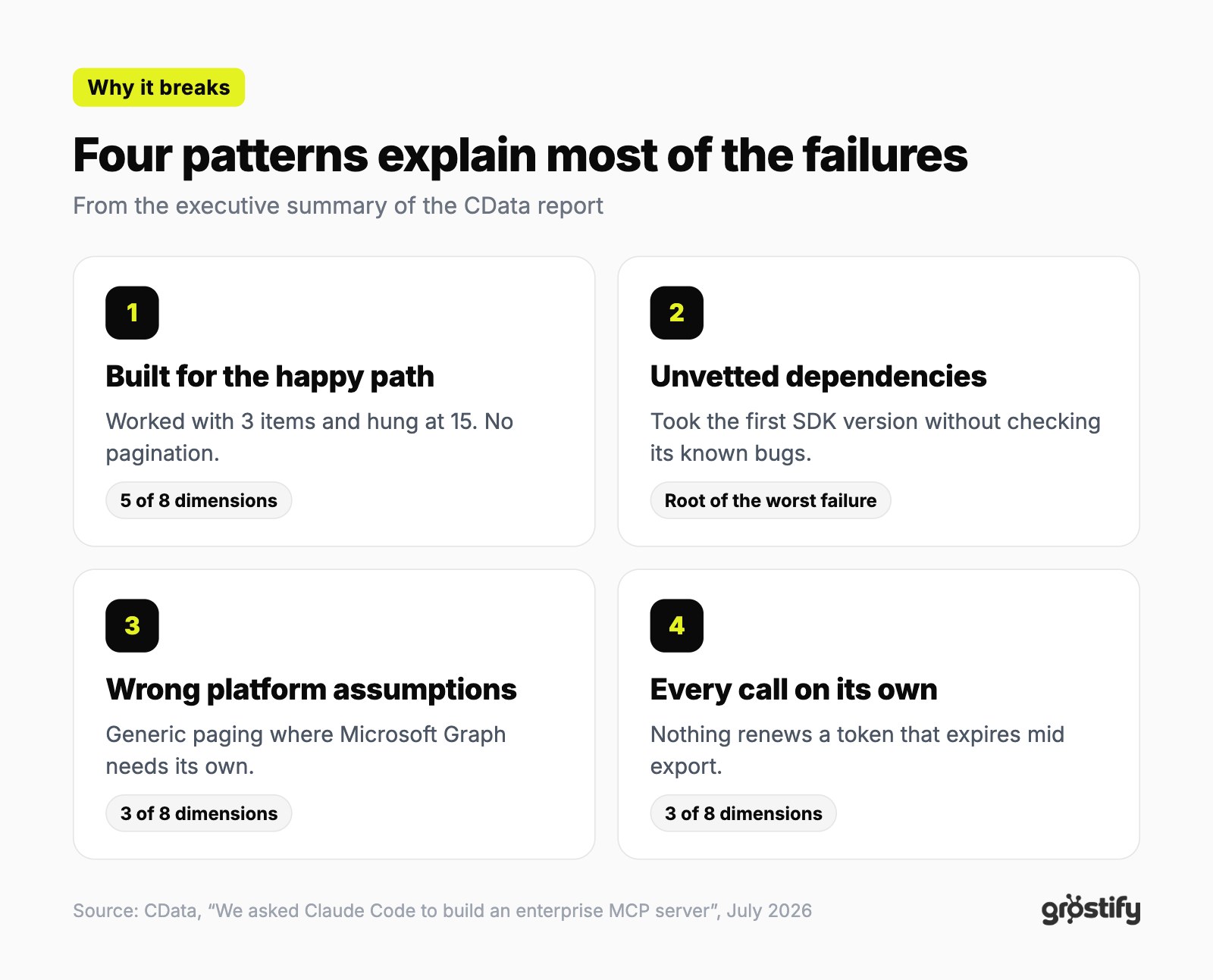
The underlying idea is this: a coding assistant is built to write software that works. Production needs software that keeps working with expiring tokens, huge lists and APIs that change.
How to read the report with a cool head
- CData sells MCP connectors, so the conclusion suits them. We sell that layer too, so read this post with the same care.
- It tested one tool against one platform. SharePoint and Microsoft Graph have their own pagination and relationship rules that trip up anyone, person or model.
- The report itself gives Claude Code credit for proofs of concept and as scaffolding in the hands of someone who already knows the hard cases.
We use Claude every day, inside Connect too. The message is not "don't use AI". It is that writing the connector is the easy part, and running it in production is the hard one.
What Connect does on each point
Connect does not generate code for you to maintain. It is the layer that runs your tools, the same for every integration, and it already covers much of what the report puts to the test:
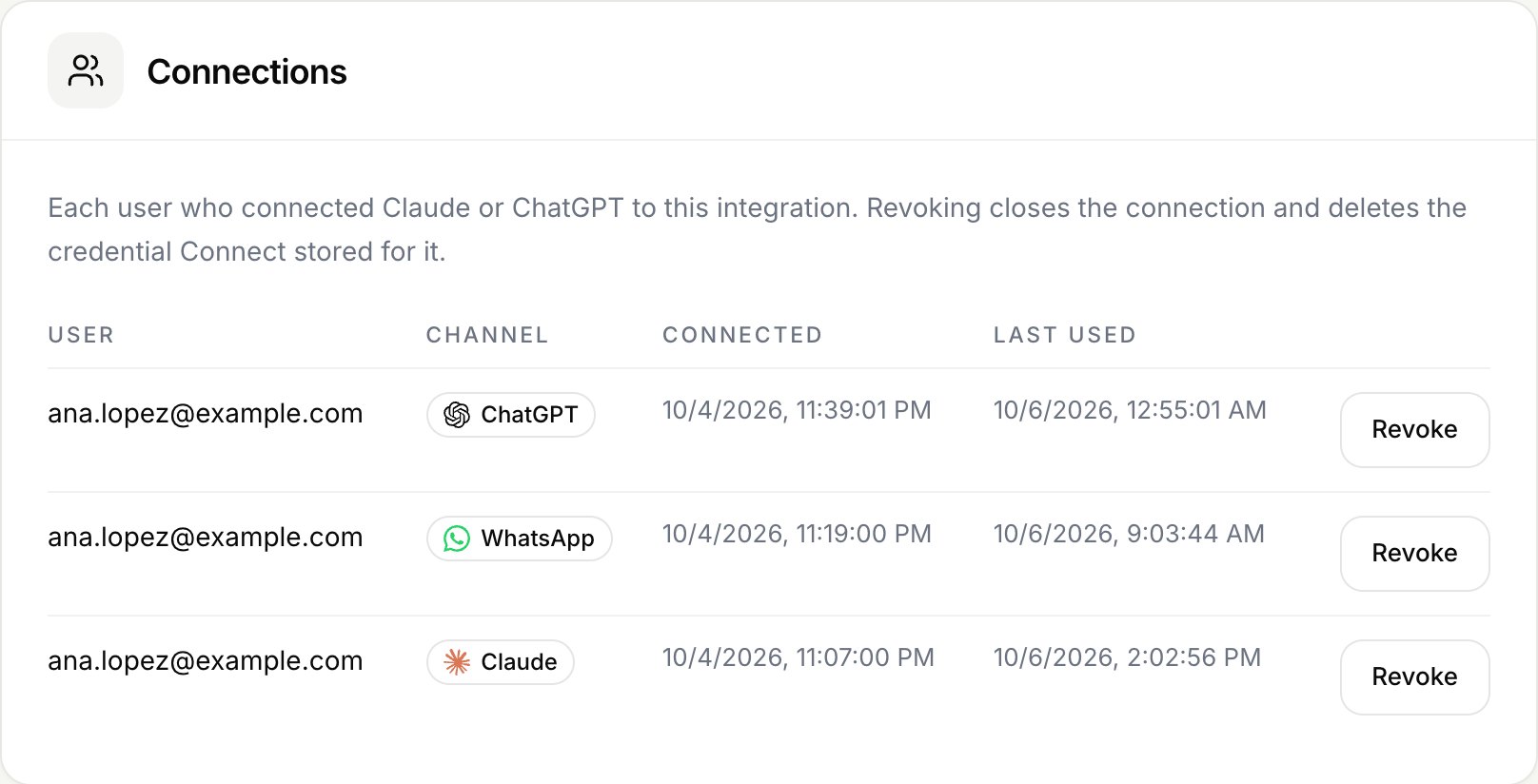
- Expiring tokens. Before each call, if the user's token expires in less than a minute, Connect renews it. If your API answers 401, it renews it and retries once. Tokens are stored encrypted, with a key of its own for each integration.
- Each user's permissions. Every call goes out with the session of whoever is asking, never with a shared service account. They see the same as they would in your app.
- Large responses without silent cuts. You choose which fields reach the model and the maximum number of characters. If a response goes over, the model gets a notice saying how much is shown and how much is missing. Above 2 MB the call fails with a clear error.
- Waits with a limit. Each call to your API gets 10 seconds. If it does not answer, the model gets an error and can tell the user, instead of five minutes of silence.
Names the model understands
In the report, the AI returned things like AuthorLookupId: 83. The data was there, but nobody could use it.
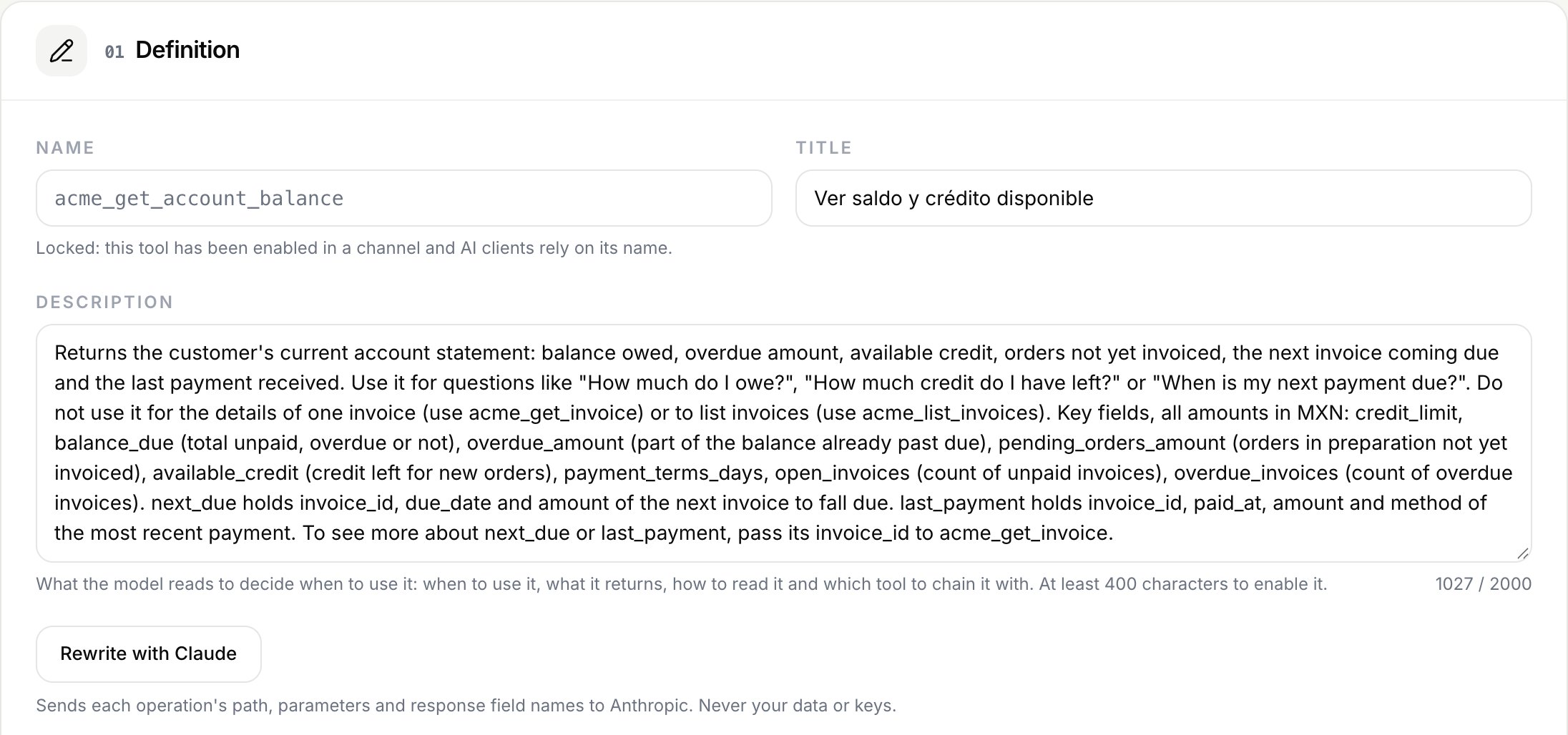
Connect does not rename your API's fields. What it does is ask Claude to write each tool's description from your spec: when to use it, what it returns and what each key field means. It flags the text for your review and you can change it before enabling the tool. That is what the model reads to pick the tool and to understand the response.
A real test before publishing
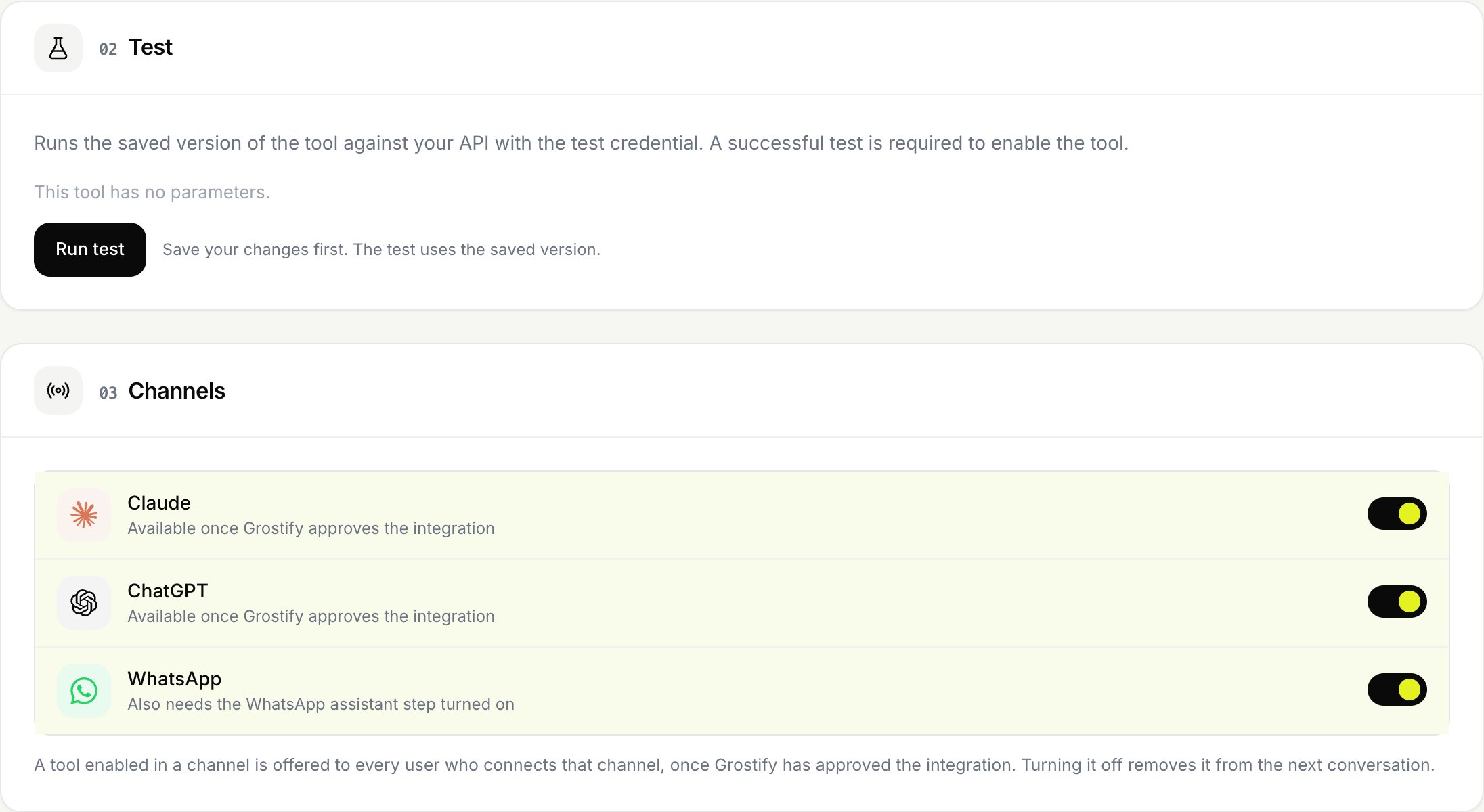
- No tool is enabled without a successful call against your API. If you change its path or parameters, it has to be tested again.
- When your API changes, you re-import the spec and Connect compares. What did not change keeps your settings. What changed leaves its channels until it passes the test again.
- You can switch a tool off at any time. It stops answering right away, without touching your API.
What Connect does not do for you
To be fair to the report:
- Connect does not walk through pages on its own. Your API's pagination parameters become tool arguments, and the description explains to the model how to use them.
- If your API fails with a 5xx error or times out, Connect does not retry. The error reaches the model as is.
Your API already solved the hard part
The toughest failures in the report, internal names, relationships across lists and identifiers nobody knows, come from connecting from the outside to a generic platform. Your API is different: you built it for your own app, so it already returns names, totals and relationships your customers understand.
In Acme Distribuidora, our demo API, the tool that answers "how much do I owe?" asks for no identifier. It returns the balance, the available credit and the next invoice of whoever is asking, with their permissions. Connect builds on that work instead of redoing it.
If you want to try it, this guide walks through the whole flow in five steps: how to turn your API into tools for Claude without writing code. The exact limits are in the tools documentation.
Notes
-
CData, "We asked Claude Code to build an enterprise MCP server. It fell short.", July 2026. The executive summary PDF includes the full table and the four patterns. ↩
- #mcp
- #claude
- #reliability
Your API, ready for AI agents
Turn your endpoints into tools for Claude, ChatGPT and WhatsApp.