How to turn your API into tools for Claude without writing code
From your OpenAPI spec to tools your customers use in Claude and ChatGPT, in five steps and without deploying an MCP server.
1 min read

In this article
Your customers already ask Claude and ChatGPT about their orders, invoices and shipments. The answer lives in your API, and until now getting it there meant writing and running an MCP server. Connect does that part for you.
This guide walks through the whole flow with Acme Distribuidora, our demo API.
What you need
- An OpenAPI 3.0 or 3.1 document, or a Postman 2.1 collection.
- A domain where your API lives, and a way to prove it is yours.
- Your login, OAuth or OpenID Connect, or an API key per user.
Step 1: verify your domain
Connect only calls hosts you prove are yours. You can do it with a file served over HTTPS or with a DNS TXT record. Until the domain is verified, no tool runs.
Step 2: choose how your users sign in
Each user connects with their own session. With OAuth they sign in on your login page and Connect keeps their tokens encrypted. With an API key, each user pastes their own key once.
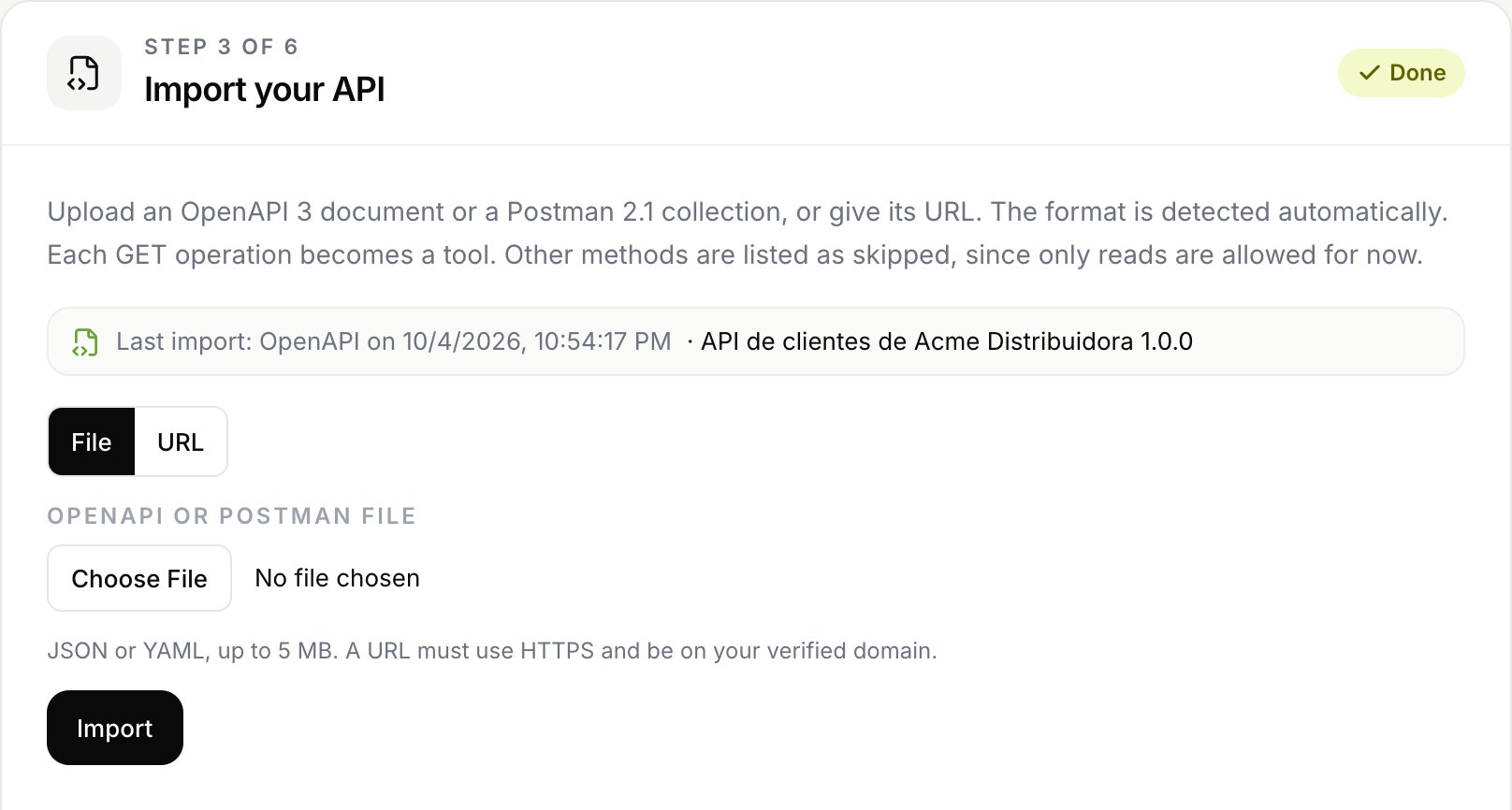
Step 3: import your spec
Upload the file or paste the URL where you publish it. Connect reads your operations and turns them into tools you review before enabling them.
Step 4: describe and test each tool
Claude reads the structure of your API, never its data, and writes when to use each tool and what it returns. You review it, adjust parameters and response fields, and run a real call before enabling it.
Step 5: publish
Pick the channels for each tool: Claude, ChatGPT or WhatsApp. Grostify reviews the integration and publishes it at your MCP address. Your users add that address once and sign in with you.
Your API stays the source of truth. Connect only decides which tools an agent can use, and for whom.
What comes next
Once it is live, every call is audited by channel and by tool, and you can switch any tool off without touching your API.
- #openapi
- #mcp
- #claude
Your API, ready for AI agents
Turn your endpoints into tools for Claude, ChatGPT and WhatsApp.